
Fix the modifier sorting by creating new printer remote formats in Focus
This article will help with fixing the issue of modifiers showing up out of order in Focus. The cause of this is Modifier sorting in your Remote Check Formats.
So how do you address this issue? You have 2 choices:
- You can uncheck Modifier sorting on the appropriate Remote Check Formats (under Printers > Remote Check Formats).
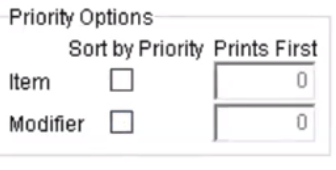 However, this will impact your printing for in-house, so this is not usually the most ideal way.
- You can set up new remote check formats for online orders only. This is the best option for most restaurants. To do this:
- Go to Printers > Remote Check Formats
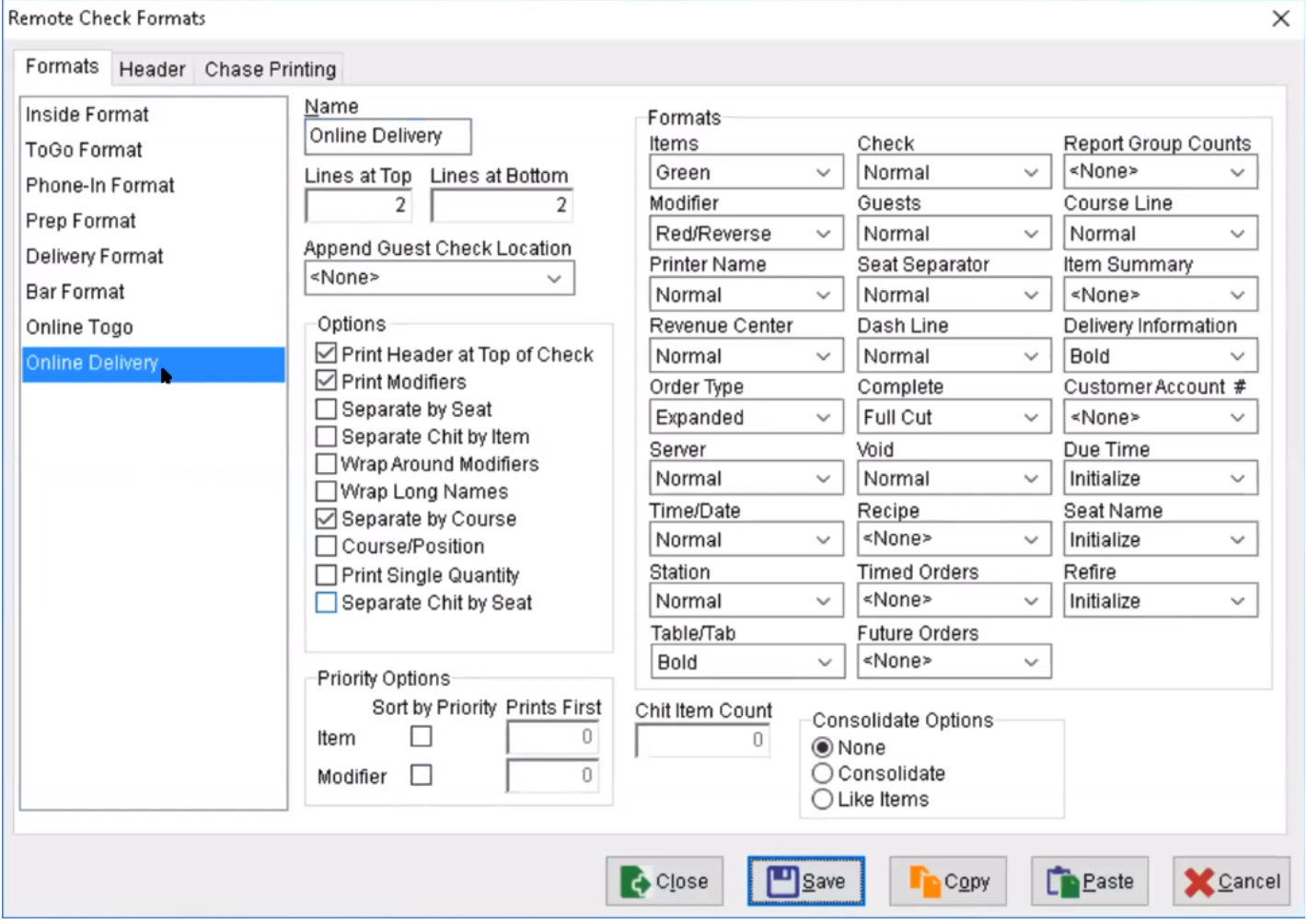
- Copy the Togo format you like best to a new format called "Online Togo" and then uncheck the Modifier checkbox under Sort by Priority for that new format
- Copy the Delivery format to a new format called "Online Delivery" and then uncheck the Modifier checkbox under Sort by Priority for that new format
- Click Save. It should look something like this:
- The next step is to go to Printer > Remotes and make sure that you assign the newly created Online Delivery format to the Online Delivery order type and the new Online Togo format to all other online order types for each Remote Printer.
- Click Save. It should look like this
 However, this will impact your printing for in-house, so this is not usually the most ideal way.

Now you should be all set! Modifiers will print in the order they are configured in your online menu.